See how flight works.
Let’s Learn to Fly uses animated lessons to introduce lift, roll, bank, yaw, stalls, altitude and approaches. Change the examples and watch what happens.
Aviation learning and flight preparation
Explore flight through animated lessons and aviation learning games. Plan missions around weather and your personal minimums. Follow radio communications with live transcription, and optionally save audio to review later.
iPhone & iPad beta · Latest build awaiting Apple review
Actively developed. Shaped by pilot feedback. →
Preliminary planning only. No FAA filing or closing service.
Learn. Practice. Plan. Review.
Flight Operations brings the basics of flight, interactive aviation learning, weather-aware mission planning and a communications log into one app. Explore new concepts or revisit the fundamentals that support better pilot habits.
Let’s Learn to Fly uses animated lessons to introduce lift, roll, bank, yaw, stalls, altitude and approaches. Change the examples and watch what happens.
Explore weather, equipment and decision-making topics, including get-home-itis and scud running. Build the habit of recognizing pressure, respecting your limits and keeping alternatives open.
Interactive exercises, matching activities and quizzes make aviation concepts something to practice. Earn discovery stars as you complete flight-basics lessons and see your learning progress.
Plan your route, aircraft, timing and fuel. Review available weather reports and forecasts against your personal minimums, then consider whether to go, delay, change the plan or cancel.
With the app open and a suitable audio input connected, Start Listening turns incoming radio audio into text in short segments. Transcription runs on-device after model setup; review every entry against what was actually said.
Choose whether to keep captured communications audio for playback and review alongside the log. Recording is optional and starts off, so you control whether audio is retained.
Lessons and games are for ground study, not flight instruction or certification. Planning supports your judgment; obtain a current briefing and verify flight information. Transcription can be delayed or wrong and does not replace listening to the radio.
A good plan leaves room to change it
“Get-home-itis” is the pressure to finish a flight even when conditions call for a different decision. A schedule, waiting passengers or the wish to be home should not set your limits.
Flight Operations brings personal minimums, available weather, route preparation and readable Flight Notes into a focused workflow—supporting deliberate decisions, not a reason to press on.
Record your personal minimums. Review current official weather and flight information before deciding whether to go.
Consider alternate airports, extra time and an overnight stay or another way home. Delay, diversion and cancellation are valid decisions.
Reassess conditions and your limits as the flight develops. Completing the paperwork is not a commitment to complete the trip.
Planning support—not a guarantee of safety. The pilot remains responsible for every go/no-go and continue/divert decision. FAA guidance on external pressures and risk management →
Flight Operations · App preview
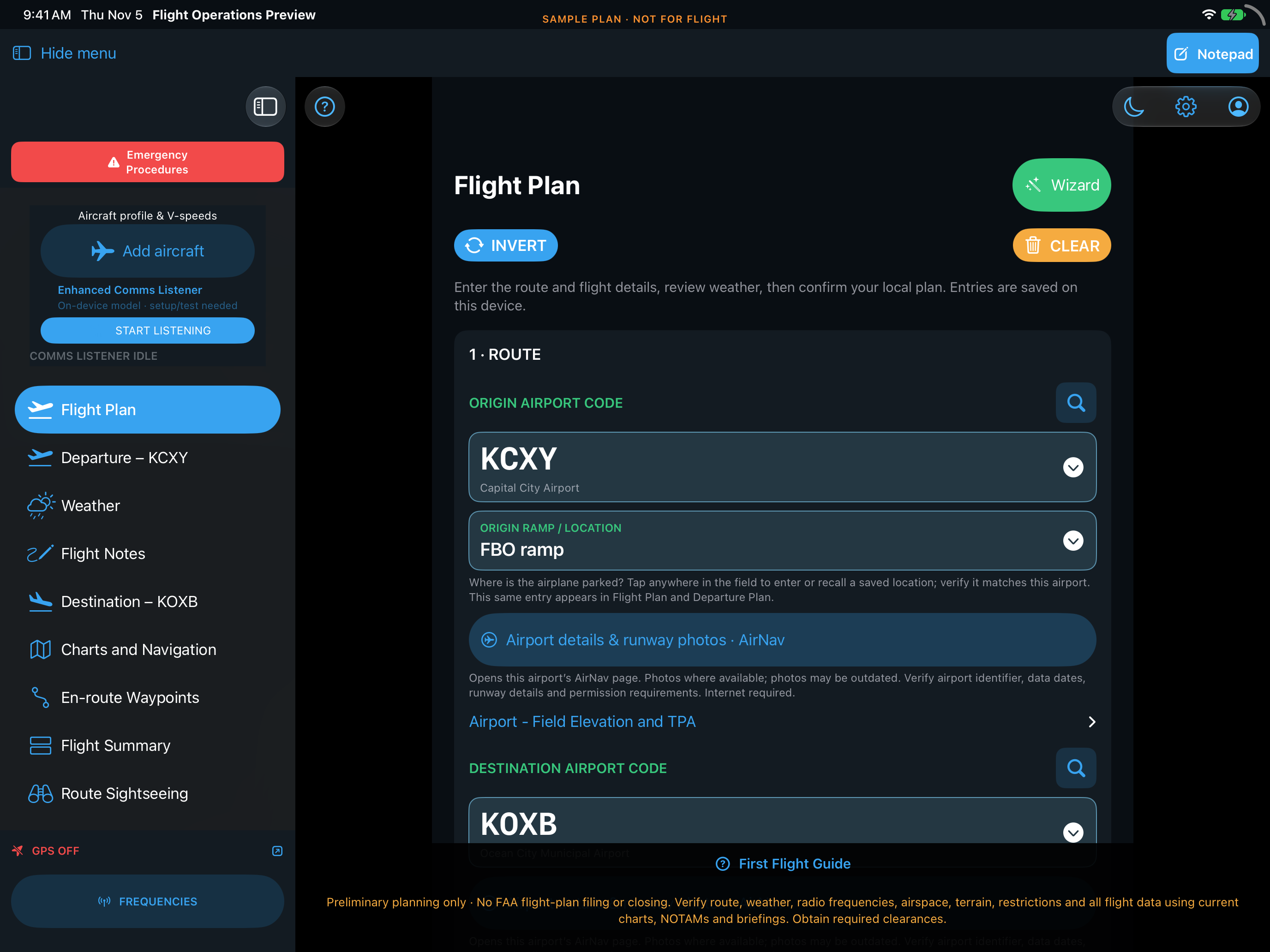
Plan your route, review the destination, and build your knowledge in Pilot Academy.


Version 4.0 screens · Sample plan · Not for flight. Screens may differ from the currently available TestFlight build. Independently verify all flight information.
A place to start. A clear way through.
Read the version 4.1 pilot guide →
New to Flight Operations? The First Flight Guide walks you through the screens. Once your profile and aircraft are saved, reuse those details for your next plan.
Set personal minimums and Local or Zulu time. Read and sign the app-use agreement while online.
Enter both airports, choose your saved tail number, then add purpose, altitude, timing, fuel and people aboard.
Review airport and weather information. Complete Origin Comms and Destination, then check Flight Plan Readiness.
Open the fixed Notepad button for quick notes. Save Notes keeps a dated copy; Previous Flight Notes reopens it. Comms Log is inside Flight Notes. After parking, use Complete Flight & Pilot Debrief in Destination.
Flight Operations does not interface with the FAA, Flight Service, or ATC to file, activate/open, amend, or close flight plans. It does not obtain airspace clearances or communicate with ATC on your behalf.
Before every flight, independently verify the entire route and planned altitudes against current sectional charts, applicable terminal area charts, the Chart Supplement, current NOTAMs/TFRs, and a current weather briefing. Also independently verify all radio frequencies against current official sources before use. Check airspace entry requirements, restricted/prohibited areas, terrain, and obstacles. Obtain all required clearances or authorizations before entering. A suggested route or altitude, green check, or local-plan acceptance does not establish that a flight is safe, legal, filed, or cleared.
Verify weather, frequencies, airport data, and generated wording using current official sources. Flight Operations does not replace aircraft instruments, approved checklists, flight training, or pilot judgment.
Your flight, close at hand
Keep the flight references and your handwritten notes together. Review arrival information and record the instructions you actually receive.


Live radio transcription & optional audio recording
With the app open and Whisper prepared, Start Listening captures short audio segments and adds their transcriptions to the communications log.
Entries carry a time, an analysis-mode label and an UNVERIFIED reminder. Review the words yourself; Flight Operations does not automatically turn them into flight-plan fields or clearances.
Cloud transcription is not enabled. Download the on-device model and test your audio input before flight. Transcription can miss or mishear important information.
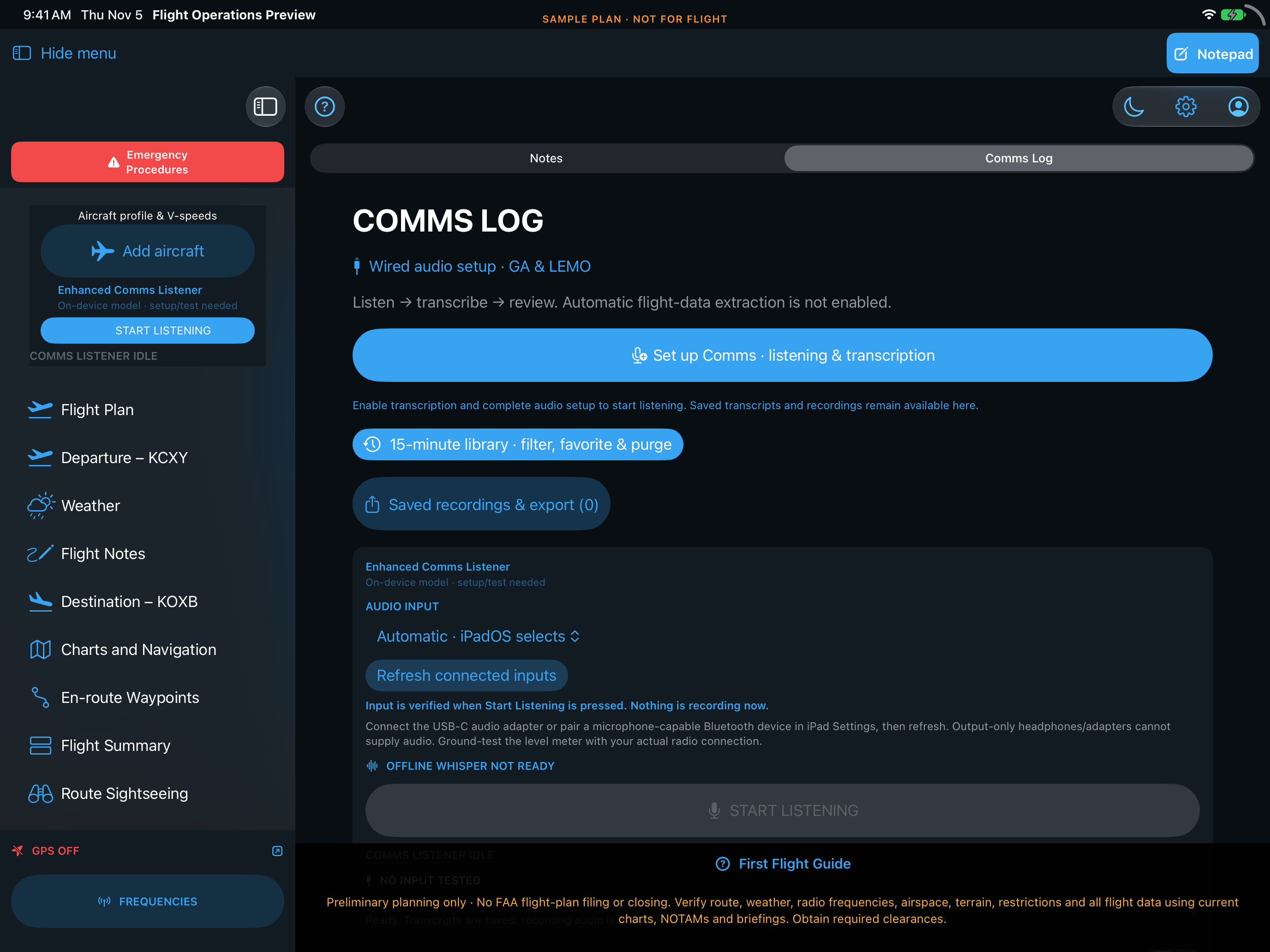
Sample workspace. No live radio transmissions or personal cockpit recordings are included.
An active project. A shared journey.
Flight Operations is an evolving project—not a finished-and-forgotten app. We’re actively working on clearer workflows, bug fixes and new capabilities. Your real-world feedback helps guide what we improve next.
Try the features available today. Tell us what works, what feels confusing and where you get stuck. Help shape a simpler way to prepare for flight.
Share feedback or suggest a feature →Beta features may change and have limitations. Planned features are not available until released; future timing and capabilities are not guaranteed. Always verify flight information using current official sources.
Help shape a clearer cockpit workflow
Try Flight Operations on your iPhone or iPad and help us improve the workflow. Beta testing is free. Join using the public link—no email invitation request is needed.
First install Apple’s TestFlight app from the App Store. Then open the Flight Operations beta link on your device, accept the invitation and install the latest available build.
1. Install Apple’s TestFlight app

This App Store button installs TestFlight. The public App Store release is subject to Apple review. TestFlight availability is separate.

Public invitation enabled · New sign-ups await Apple approval
2. Join the Flight Operations beta
Join the beta in TestFlight ↗Open this public beta link on your iPhone or iPad:
testflight.apple.com/join/akMP5hWb
Already testing? Open TestFlight and tap Update. Beta software may contain bugs; independently verify all flight information.
Read our privacy policy →
Basil’s Best Flights LLC
We are developing Flight Operations to make flight preparation easier to follow for both newer and experienced pilots. Clear steps, readable information, and useful paper references guide the design.
Talk to us about Flight Operations →Know what stays. Know what leaves.
Most planning information stays on the iPad. Signing the app-use agreement sends your legal name and contact details to our online database. GPS, model downloads, and optional exports have their own data flows.
Our privacy page explains these differences, including audio storage and how to request deletion.
Read our privacy policy →